 Maintora
One record for every asset.
Give maintenance and IT teams a shared asset register, from the equipment in a plant room to the devices issued to a colleague.
An asset register your team can maintain
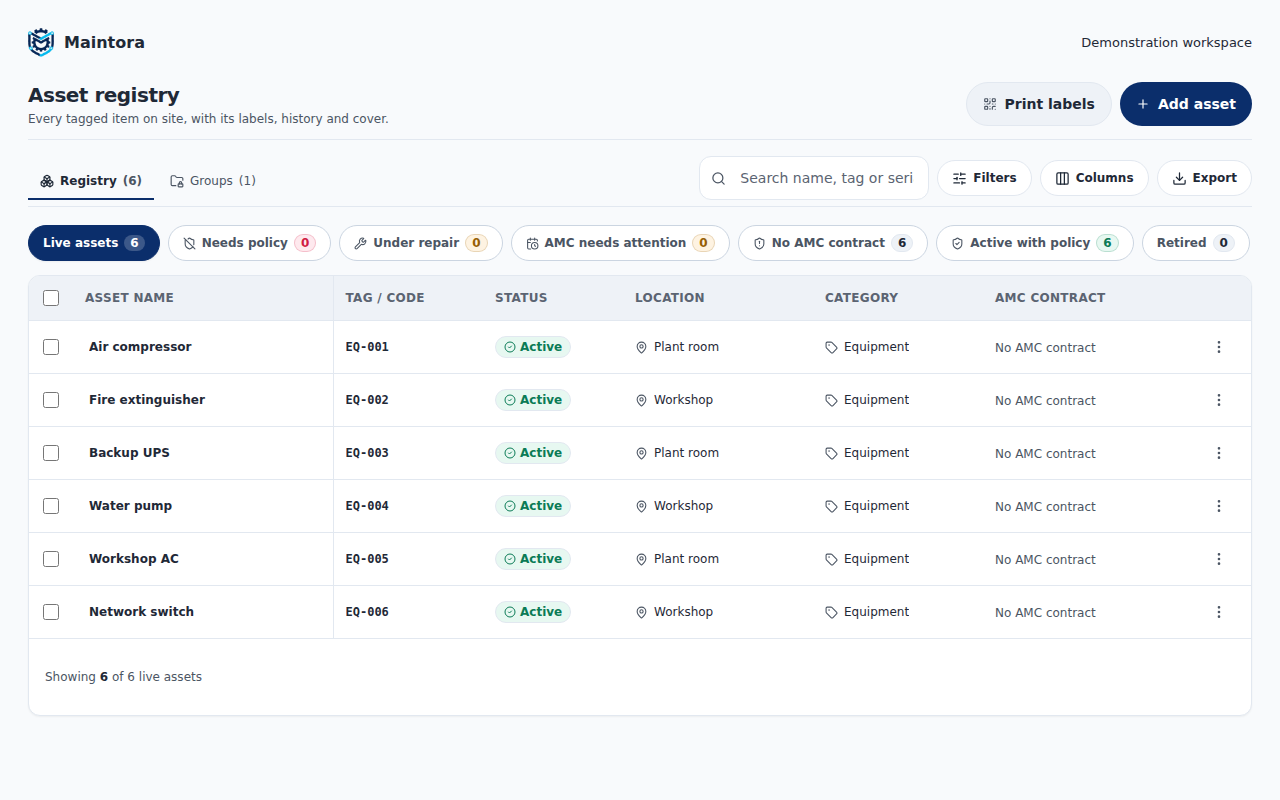
Record an asset name, category, location, tag code and serial number. Keep the equipment record separate from its inspection history so a change of location does not mean starting again.
Know where equipment is and who holds it
Organise equipment by location and group. Record custody handovers and returns so the next person can see who has an item and what changed.
Keep maintenance context beside the asset
Review inspection records, warranty dates and AMC cover alongside equipment details. Distinguish internal maintenance from vendor-managed cover when assigning responsibility.
From setup to everyday work
- Add equipment and its location to the register.
- Assign a tag code and print its QR label.
- Keep handovers and inspection records with the asset.
Common questions
Can we use our own asset codes?
Yes. The displayed tag code is your equipment identifier. The QR label uses a separate stable reference, so changing a display code does not require a new QR identity.
Does this replace our accounts software?
Maintora focuses on asset operations, custody and maintenance. It is not presented as a depreciation or accounting system.
See Maintora with your workflow in mind.
Talk through your asset list, inspection routines and team responsibilities.
Request a demo Contact the team